
Technical notes
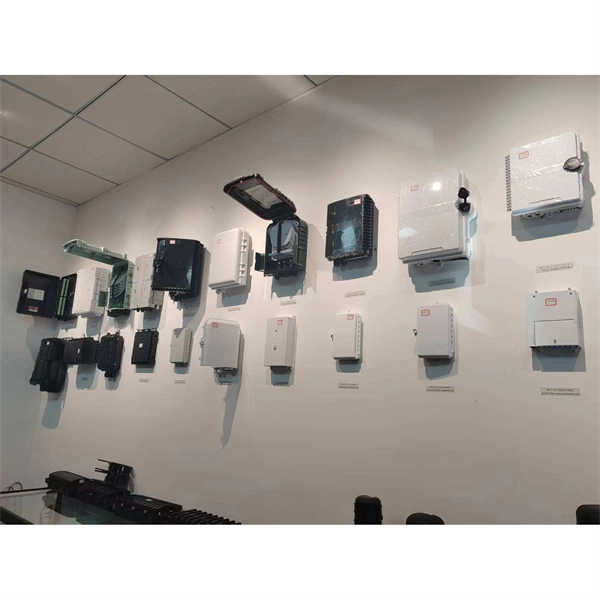
Optical Splitters: Split Ratios, Splitting Architectures & PON Network
By dividing a single optical signal from a central Optical Line Terminal (OLT) into multiple outputs for Optical Network Terminals (ONTs) at users'' homes, splitters eliminate the need for
How to Use Optical Couplers and Splitters in Fiber Networks
Optical coupler and splitter guide: split or combine fiber signals, choose the right device, and optimize your fiber network for reliable performance.
Optical Splitters Demystified: The Silent Heroes Powering Your FTTH
An Optical Splitter, also known as a beam splitter, is a passive optical device that divides a single input optical signal into two or more output signals. Conversely, it can also combine multiple
Fiber Optic Splitter: How It Works & Types Guide
This guide demystifies fiber optic splitters, explaining their design, operating principles, types, key specifications, and real-world applications.
Ultimate Guide to Optical Splitters for FTTH & GPON
The answer lies in one of the most important passive components in modern fiber networks-the optical splitter. An optical splitter enables a single optical signal to be distributed to
Introduction to Passive Optical Network Splitter Architectures
Fiber Broadband Association Technology Committee February 2025 The choice of splitter architecture for a passive optical network (PON) network can impact many aspects of a Fiber to the X (FTTx)
Optical Splitters in PON Networks | FTTH Guide
Learn how optical splitters are used in PON networks, including centralized and cascaded FTTH deployment strategies and key factors.
Optical Splitters: Split Ratios, Splitting Architectures & PON Network
This guide focuses on two critical aspects of optical splitters that define FTTH performance: split ratios (how signals are divided) and splitting architectures (how splitters are
How to Connect a Splitter to Another Splitter: A Complete
In this guide, we''ll explain how to safely connect a splitter to another splitter, covering both fiber optic and coaxial setups. We''ll also share tips to minimize signal loss and ensure
The Working Principle and Application Scenarios of Fiber Optic Splitters
The working principle of fiber optic splitters is based on optical coupling and splitting . When a light signal enters the splitter, it is divided into multiple outputs through interference effects or
Beam splitter
Beam splitters in PON networks are often made with single-mode optical fiber, by exploiting evanescent wave coupling between a pair of fibers to share the beam
Comprehensive Guide to Optical Splitters
An optical splitter is a crucial passive fiber optic device that splits and combines optical signals. It can distribute the optical energy transmitted through
How to install a fiber optic splitter step-by-step?
Test Connectivity: Use an optical power meter or an optical time-domain reflectometer (OTDR) to test the connectivity and signal quality of the fiber optic splitter installation. Verify that the
Fiber Optic Splitters | PLC & FBT Optical Splitters
Explore our comprehensive selection of high-performance fiber optic splitters. We offer a variety of PLC splitter types, including ABS box, LGX cassette, and rack
Understanding Fiber Splitters: The Backbone of Fiber
A fiber splitter, also known as a beam splitter, is a passive optical device that splits an optical signal into multiple signals. It is a crucial component
Tutorial Passive Fiber Optics, Part 8: Fiber Couplers and Splitters
Part 8: Fiber Couplers and Splitters Figure 1: A 2-by-2 fiber coupler. When using fiber optics, one often needs to use fiber couplers for various purposes. Some examples: A coupler can be used as a
Fiber optic splitter – Physics and Radio-Electronics
How fiber optic splitter works? Whenever the light beam transmitted in a network needs to be divided into two or more light beams, fiber optic splitters are used.
Fiber Optic Couplers Information
Fiber optic couplers are optical devices that connect three or more fiber ends, dividing one input between two or more outputs, or combining two or more inputs into one output. The device allows
Related Video Reference
This video was associated with the source search result. Verify technical details against current product documentation and project requirements.