
Technical notes
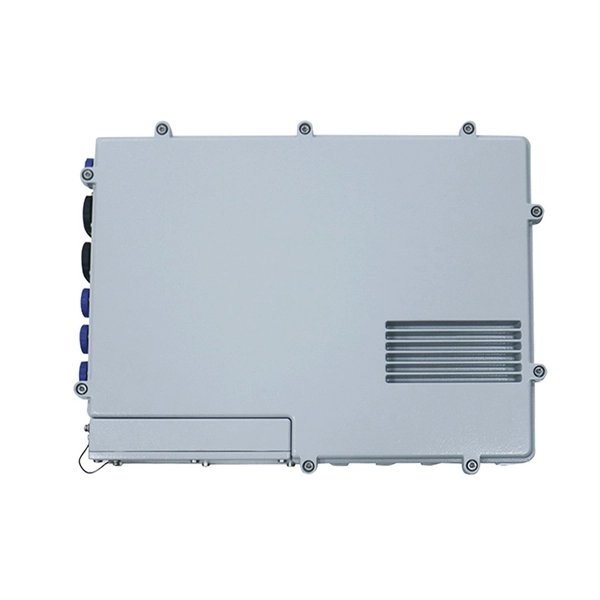
How to Connect Fiber Optic Cable to Router: A Step-by
However, setting up a fiber optic connection to your router can seem daunting if you''re unfamiliar with the process. In this guide, we''ll walk you
How to Connect a Fiber Optic Cable to a Router
Setting up a fiber internet connection requires understanding key hardware components and following a specific connection sequence to establish your home network. This guide details the
How to Connect Fiber Optic Cable to Router: Complete
By following this detailed guide, you''ve not only learned how to connect fiber optic cable to router properly but also how to optimize and maintain
Fiber Optic Cable to Router: Step-by-Step Guide
Master connecting a fiber optic cable to your router with tips, setup instructions, and configuration for optimal internet connectivity.
Fiber Optic Switch Guide: Definition, Connection Methods, Cabling
The key to connecting fiber optic cable to an Ethernet switch is to identify what type of switch you have. In most real-world applications, there are three common connection methods.
How to Connect Fiber Optic Cable: Comprehensive Guide
Master how to connect fiber optic cable with our detailed guide. Step-by-step instructions to ensure you achieve the best performance and reliability in
Fiber Internet Installation: Step-by-Step Guide (2026)
For a fiber optic connection, you need an optical network terminal (ONT), a router, and appropriate Ethernet connections for wired devices. Your
Complete Guide to Fiber Optic Home Networking | BroadbandSearch
Build a home fiber network for 1-2 Gbps speeds with this complete guide to installation, troubleshooting, and performance.
How To Connect Fiber Optic Cable To Router?
Once everything is properly connected and configured, your router will distribute the fiber optic internet to your devices either via Ethernet cables or through a Wi-Fi connection.
Fiber-optic cable
A fiber-optic cable, also known as an optical-fiber cable, is an assembly similar to an electrical cable but containing one or more optical fibers that are used to carry
How does fiber optics work?
An easy-to-understand introduction to fiber optics (fibre optics), the different kinds of fiber optic cables, and how light travels down them.
Recommended Way to Connect Fiber Optic Line to an Ethernet Switch
Recommended Way to Connect Fiber Optic Line to an Ethernet Switch. Fiber optic cables are commonly used for core network lines and connections that must span long distances, such as those used by
3 FAQs of Connecting Switches by Fiber Optical Ports
Switch optical port intercommunication means that the optical fiber ports of two switches are connected to each other to achieve the purpose of
How to Connect Fiber Optic Cable to Router? Easy Fiber Optic
This video makes connecting your fiber optic cable to your router a breeze! We''ll guide you through the entire process step-by-step, ensuring a smooth and hassle-free experience.
How to connect a fiber optic cable to the router
4. Locate the fiber optic port: Look on your router for the port designated for the fiber optic connection. This port is usually clearly identified and is different from traditional Ethernet ports. 5.
Can You Use Fiber Optic Cable with RJ45? | Fiber vs
RJ45 and fiber optic cables transmit data differently—electrical vs optical. Learn why they are not directly compatible, how to connect Ethernet to fiber.
How To Connect Cisco Switches With Fiber Super Fast!
Let''s connect a Cisco switch and router using fiber cables for faster speeds! This simple tutorial demonstrates how to insert optical transceiver modules into the sfp ports.
How to connect fiber optic cable to router?
As a result, connecting fiber optic cables to routers has become essential for maximizing network performance and reliability. By following the
Related Video Reference
This video was associated with the source search result. Verify technical details against current product documentation and project requirements.