
Technical notes
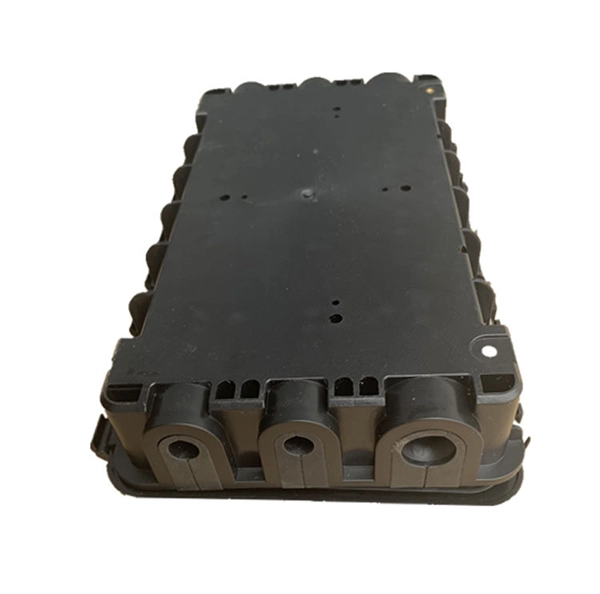
HES Series Installation Guide
There are 5 undrilled U-shaped Fiber Cable Input Holes reserved for flexible fiber installation. To use these holes for fiber installation, first use a mini hand drill to drill U-shaped holes as pre-outlined in
How to Install Fiber Optic Raceway on Open Basket Cable Trays
This guide is based on field experience installing fiber optic raceway systems with manufacturer specifications and local requirements for your specific project.
How To: Install Fiber Optic Cable for Success –
In this comprehensive guide, we''ll walk through the best practices for installing various types of fiber optic cable, from patch cords to distribution fiber,
Fiber Tray Installation after pulling Network Cabling | Example
Simple training video for our teams after pulling the fiber to locations, either the MDF or IDF spots. To secure the fiber and get it ready to splice for the pigtails. Keep in mind various...
Fiber Optic Installation Process: Complete Guide (2025)
Learn about the fiber optic installation process with our detailed guide. Understand each step to ensure a smooth and efficient setup for high-speed
How to Install Fiber Optic Cable: Step-by-Step Guide | Network Drops
Learn how to install fiber optic cable with Network Drops'' easy step-by-step guide. Follow the process for quick and effective results.
Model GS7000 Node Expanded Fiber Tray Installation Instructions
These installation instructions are intended for all cable system operators or installers who operate and configure a Model GS7000 Node. For complete instructions on using the node refer to Model
A Step-by-Step Guide to Fiber Optic Cable Installation
This beginner-friendly guide will walk you through the step-by-step process of fiber optic cable installation for each method, highlighting best
Indoor and Outdoor Fiber Optic Cable Installation: Key Considerations
Explore best practices for installing indoor and outdoor fiber optic cables, including conduit, direct burial, riser, and aerial applications. Build stable, long-lasting networks.
Fiber Cable Tray System
The VCT Series Fiber Cable Tray System is an enclosed raceway specially designed for the routing and proper protection of fiber optic cabling. With a wide variety of accessories for mounting and
How to Install Fiber Optic Cable: A Comprehensive Guide
Learn how to install fiber optic cable with Network Drops'' easy step-by-step guide. Follow the process for quick and effective results.
HES Series Installation Guide
Optical Fiber Installation A A Arrange fiber cable into the Fiber Cable Tray Base Method 1: Use the centered Fiber Cable Input Hole to install fiber cable. Make sure fiber cable is installed in a clockwise
Learn How to Master Fiber-Optic Cabling Installations
Our guide to fiber optic cabling installation will help you boost your SEO and the quality of the projects. Master important standards, bend radius
Fiber Cable Mechanical Splicing Guide Using Fiber Splice Trays
In practical deployments, fiber optic splicing is not performed in open environments. To protect spliced fibers, manage excess cable length, and ensure long-term stability, splicing is
All You Need To Know About Fiber Termination Boxes:
Source In this blog, we will discuss the two types of fiber optic cables and the role of a simple yet essential piece of equipment in the fiber laying
Fiber Tray Installation after pulling Network Cabling | Example
Keep in mind various methods or different trays to use, just depends on the layout but most should look like this. Protect the actual fiber and give the splicer team enough slack to work with.
Fiber Optic Cable Installation Do''s and Don''ts
Welcome to our comprehensive guide on Fiber Optic Cable Installation Do''s and Don''ts! In this video, we''ll cover the essential guidelines for installing fiber optic cables, helping you avoid
Data Center Cable Tray Design Guide | PDF | Optical Fiber
This document outlines best practices and engineering standards for designing and implementing structured cable and fiber tray systems in modern data centers. It covers design guidelines,
Related Video Reference
This video was associated with the source search result. Verify technical details against current product documentation and project requirements.