
Technical notes
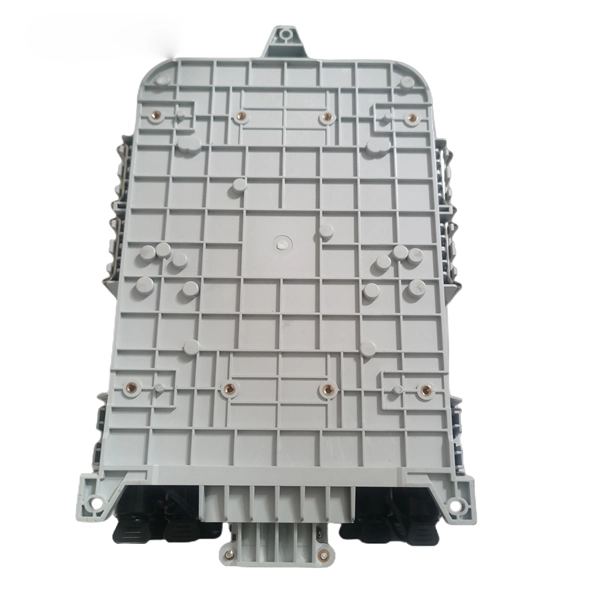
Configuring Attributes for an Optical Interface
The configuration personnel can pre-configure the transmission medium type on optical interfaces and configure functions on the interfaces. These functions take effect after the installation personnel
Huawei Switch Configuration Step by Step: What''s the Real Game
For businesses navigating the complexities of modern networking, Huawei switch configuration step by step isn''t just a technical task—it''s a strategic move toward operational
Huawei Switch Configuration | Complete Setup Guide
In this video, we''ll guide you through the process of configuring a Huawei Switch for your network. Whether you''re setting up a new switch or optimizing your existing network...
HUAWEI S6700 SERIES CONFIGURATION MANUAL
On an IPv4 network, configuring BFD for IPv4 static routes on the public network can speed up route convergence and improve network reliability. 1.6
How To Switch Optical/Electrical Mode On Huawei
Enter the interface view and run the following commands: • Switch to optical mode: combo enable fiber. • Restore default electrical mode: undo combo
How to Configure Huawei Switches: Are You Missing
Configuring a Huawei switch isn''t just about plugging in cables and ticking boxes—it''s about building a network that''s resilient, efficient, and ready to
Optical Module Solutions for Huawei S5700/S5720 Series Switches
This article summarizes several solutions for using optical modules with switches and common problems encountered during usage, along with specific solutions.
S SERIES SWITCHES STACK DEPLOYMENT BEST PRACTICES
Therefore, master switch election can be controlled based on the switch startup time and stack priority. When switches can be powered on and off separately, you can power on the switch that is expected
Converge F670L Bridge mode · GitHub
A — Configure the ZTE F670L to be a true bridge/passthrough Objective: ZTE forwards VLAN-tagged traffic (VLAN 444) to a LAN port without
Huawei GPON configuration (commands) | Splynx Documentation
Learn how to configure Huawei GPON, set user and default routes, check status with commands, and remove ONT from configured Huawei ONL in this detailed guide.
Network Switches | Huawei Enterprise
Huawei Ethernet Switches Turbocharge your enterprise network with high-performance, high-availability for resilient services and simplified management.
S Series Switches Stack Deployment Best Practices
S Series Switches Stack Deployment Best Practices This document describes the best practices for stack deployment, including device selection, deployment, networking deployment, stack setup
Configuring Fibre Channel Switches (Applicable to Fibre Channel
Fibre Channel switch configuration includes setting domain IDs, configuring the long-distance mode for links, and creating zones.
Quick Configuration Guide
This guide offers quick configuration instructions for Huawei enterprise products, ensuring efficient setup and optimal performance.
Configuring OSPF Fast Convergence
Configuring Smart-discover Setting an Interval at Which LSAs Are Updated Setting an Interval at Which LSAs Are Received Setting an Interval for SPF Calculation Verifying the OSPF Fast Convergence
Configuring OSPF Fast Convergence
CX320 Switch Module V100R001 Configuration Guide 14 Configuring OSPF Fast Convergence By adjusting OSPF timers, you can implement OSPF fast network convergence.
Example for Configuring IS-IS Fast Convergence
Configure the IP addresses of interfaces and the IS-IS route-policy on each switch. Configure BFD sessions on SwitchA and SwitchB to improve the link fault detection speed of the switches. Set the
Fibre Channel Protocol and Typical Network Configuration
1. Describes the Fibre Channel protocol and its basic concepts. 2. Describes Fibre Channel typical networking and configuration (Brocade and Qlogic). 3. Describes common problem
Related Video Reference
This video was associated with the source search result. Verify technical details against current product documentation and project requirements.