
Technical notes
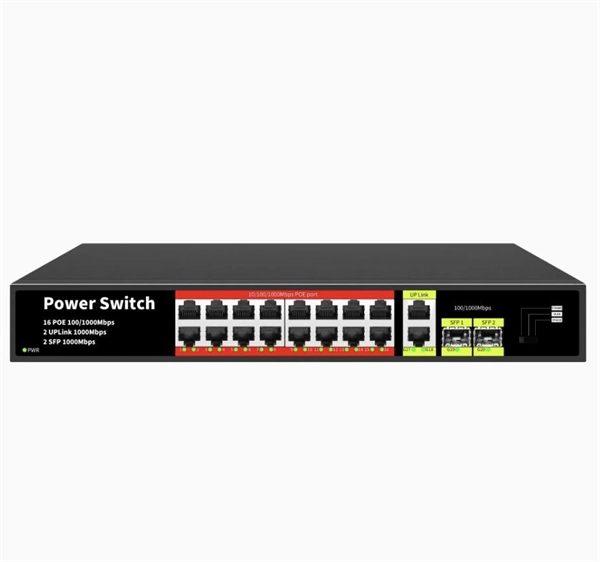
Configuration manual for industrial switch
The industrial switch configuration manual is a detailed guide that instructs users on how to correctly install, configure, and optimize industrial-grade switch equipment.
8 Steps to configure your network switch
Follow these simple best practices to set up a new network switch. Still fuzzy? Just like riding a bicycle, nobody''s born knowing how to setup a network switch. And this process is a little more advanced
Cisco IE 1000 Industrial Ethernet Switch Hardware
When you first set up the switch, you should use Express Setup to enter the initial IP information. This process enables the switch to connect to
Industrial Switches
Our innovative solutions help more than 50,000 customers across the globe securely connect devices and applications in new ways, helping to enrich customer experiences, reduce risk, improve
14-Common Industrial Protocols Configuration Guide
To read the whole book, click the link below; to read the individual chapters, click the links on the left.
A Practical Guide to wiring electrical switches in Industrial Panels
Discover safe, practical methods for wiring electrical switches in industrial control panels with step-by-step diagrams, protocols, and troubleshooting tips.
How To Install And Configure Industrial Ethernet? | Guide
How To Install And Configure Industrial Ethernet? Learn step-by-step network planning, device selection, switch configuration, testing, and troubleshooting.
Configuring the switch
Configuring the switch Cisco Industrial Ethernet Switches for Facility Explorer Networks Installation Instructions and Troubleshooting Guide Product Document number Revision date
How to Configure Your Cisco Switch: Step-by-Step Guide
Monitoring and Troubleshooting Your Cisco Switch After configuring your Cisco switch and enhancing its security and performance settings, the next crucial step involves monitoring and
Axis network switches
This switch configuration guide is for network administrators configuring and managing AXIS network switches. It provides information on configuring features mainly through the HTTP/HTTPS web
Initial Switch Configuration
Whether the configuration deployment of a switch is completed all at once or done in phases, the basic switch settings must first be configured. The initial management configuration includes setting IP
Basic Cisco Switch Configuration Example in 10 Steps
Unlike other lower class switch vendors (which are plug-and-play), the Cisco switch needs some initial basic configuration in order to enable management, security and some other important features. In
Switch Configuration | Step-by-Step Guide for Beginners
Learn how to configure a network switch from scratch! This tutorial covers all the basics you need to get started with switch setup, including VLAN creation, port configuration, and securing access.
How to Configure a Network Switch | ServerMania
Configuring a network switch requires a solid understanding of switch configuration commands and best practices. With the steps outlined in this tutorial, you should be able to configure
Basic Configuration of G6 Devices
Summary This document outlines the basic configuration steps that are usually needed to set up a MICROSENS G6 switch for operation. It also explains basic network switching concepts and leads
Switch Configuration Tutorial | Step-by-Step Guide for Beginners
Welcome to this hands-on tutorial on Switch Configuration! Whether you''re a networking student, enthusiast, or preparing for certifications like CCNA, this video will guide you through the basics
LAN Switching Configuration Guide
Perform this task to configure the main interface used for the Q-in-Q double tagging and to configure the subinterfaces. An optional step in this task shows you how to configure the EtherType field to be
How to Configure a Cisco Switch (step by step)
If you''re looking to configure a switch for the first time, this post is for you. Learn step-by-step configuration commands for Cisco IOS Switches.
Related Video Reference
This video was associated with the source search result. Verify technical details against current product documentation and project requirements.