
Technical notes
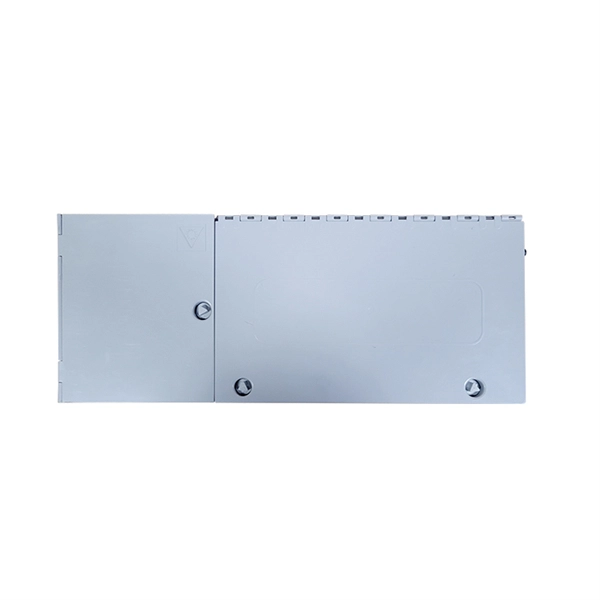
What are Bridge Mode and Router Mode of ONU/ONT?
Learn the differences between ONU bridge and router modes, their benefits, and how to configure each for optimal FTTH network performance.
Bridge ONU vs Router ONU: Which One Powers Your Fiber Network?
Bridge ONU offers advanced network control with your own router, while Router ONU provides easy fiber setup and built-in management for home use.
Switching UPC Connect Box to Bridge Mode & Replacing with Own
The discussion revolves around the possibility of switching the UPC Connect Box to bridge mode and replacing it with a personal router in a fiber optic connection setup.
What is the difference between routing-type and bridging-type ONTs?
Unlike fiber optic transceivers, fiber optic transceivers only receive and emit light, and do not involve protocol conversion. According to the mode, optical network
Bridge Mode vs Router Mode in ONUs: What''s the Difference
In the PON ecosystem, bridge mode and router mode serve distinct purposes. Bridge mode excels at providing transparent Layer 2 connectivity, serving as a simple pass-through device,
What Is Bridge Mode on a Router, and Why Should You
Bridge mode is a network setting on your router that instructs your router to stop functioning as a router---a device that analyzes, handles, and
Unlock Ultra-Fast Internet with ONT Devices | IO by HFCL Blog
Learn the pivotal role of Optical Network Terminal (ONT) devices in bridging the fiber-optic networks and user devices for high-speed & reliable connectivity.
Unlocking Your Router''s Full Potential: A Step-by-Step Guide to
Putting your router in bridge mode can help improve network performance, increase flexibility, and enhance network security. By following the steps outlined in this article, you can unlock
Enabling pass through in a Huawei optic router
Generally fiber optic connections use either plain fiber-Ethernet or more commonly GPON (which still carries Ethernet data), and Ethernet-to-Ethernet passthrough is usually called
10 Best Optical Fiber Router: In-depth Reviews
In a time of ubiquitous online connectivity, it is evident that the best optical fiber router can enhance your online experience because it provides you with fast
How to use multiple routers with fibre optics cable?
I am not very experienced with optic fibre installations, so bear with me if I get something wrong. Assume you have house with direct access to an optic fibre cable (FTTP). In the basement,
Help with Optimum (Altice) Fiber and Router that cannot bridge
Help with Optimum (Altice) Fiber and Router that cannot bridge Hi Folks- My ISP (Optimum) recently upgraded my house to Fiber lines. The "Altice" modem/router combo cannot be
Using the orbi as a standalone router with fibre optic
Using the orbi as a standalone router with fibre optic I want to be able to just use the orbi router instead of having a modem along side it as a bridge. how would I set it up to just be
Setting up fiber bridge between Netgear routers
Setting up fiber bridge between Netgear routers This is another one of those “setting up a network, need some help, and I''m a bit ignorant” posts. I was referred to the Netgear community
Bridge Mode and Routing Mode ONT
If you want to know whether the bridge mode or the routing mode is better for the ONT, you must first understand their difference. The original function of the ONT is as a translator, an important tool to
Can i use a normal router on fiber optic cable wifi?
My local internet providers, Indiehome, uses a fiber optic cable and they gave us a free Huawei router, they said it was their standard. But that router kinda have a low security (people can
What Is Bridge Mode on a Router? (The Complete Guide)
Learn what Bridge Mode on a router means, when to use it, and how it affects your Wi-Fi network. Discover the pros, cons, and setup tips to avoid double NAT issues.
How to Connect Fiber Optic Cable to Router: A Step-by-Step Guide
Fiber optic internet delivers blazing-fast speeds and reliable connectivity, making it a top choice for modern homes and businesses. However, setting up a fiber optic connection to your router
Related Video Reference
This video was associated with the source search result. Verify technical details against current product documentation and project requirements.