
Technical notes
Displaying Optical Module Information
To determine whether optical modules delivered for Huawei switches before July 1, 2013 are certified ones, contact Huawei technical support. If your optical modules are delivered after July 1, 2013, use
Troubleshooting S Series Switch Port and Interface Problems
Observe service interface indicators to quickly identify the service interface status. The following uses the S6730-H48X6C as an example. In Figure 1-1, the indicator numbered 4 is a 10GE optical
Optical Module Solutions for Huawei S5700/S5720 Series Switches
This article summarizes several solutions for using optical modules with switches and common problems encountered during usage, along with specific solutions.
How To View Optical Transceiver Information On Huawei Switches
Optical transceivers are widely applied in switches, network cards, routers and other communication devices. Checking transceiver parameters allows users to monitor real-time
Troubleshooting for Optical Modules on Huawei Switch
Check whether the optical module is Huawei-certified. If it is not certified by Huawei, replace it with a Huawei certified one. Remove and reinstall the optical module. If
Huawei ONT LED Status & it''s Function
The status of PON and LOS reflects the connection between GPON terminal and the optical line terminal (OLT). The following table describes the
HUAWEI OptiX Star Manual
The complete HUAWEI OptiX Star user manual, along with technical documentation on how to set it up from the manufacturer, is available for
HUAWEI HG659 USER MANUAL Pdf Download
What do the indicator lights on the Huawei HG659 Gateway mean? The indicator lights on the Huawei HG659 Gateway have the following meanings: Power:
Huawei ONT LED indicators — Grokipedia
These indicators visually display the device''s power status, optical connectivity to the service provider, Ethernet and Wi-Fi activity, telephony, USB, and additional functions, enabling users and technicians
Huawei Data Center Switch Optical Transceiver Portfolio
Description 40GBase-iSR4 Optical Transceiver, QSFP+,40G,Multi-mode (850nm,0.15km,MPO) (connecting to one QSFP+ or four SFP+) 40GBase-eSR4 Optical Transceiver, QSFP+,40G,Multi
S5731-S48P4X (02353AJH/02353AJH-001/02353AJH-003)
The switch is a PoE switch and supports two power module slots, each of which can have a 1000 W PoE or 600 W PoE power module installed. Pluggable AC and DC PoE power modules can be used
Moving My Home Networking! (Because I Can)
Thanks to UGREEN for sponsoring this video! UGREEN NAS DXP4800 Plus (20% OFF until 3/31) https://bit.ly/4bToQLx UGREEN NAS Series (20% OFF until 3/31) https://bit.ly/4hnhCAA
Network Switches | Huawei Enterprise
Huawei Ethernet Switches Turbocharge your enterprise network with high-performance, high-availability for resilient services and simplified management.
How To View Optical Transceiver Information On Huawei Switches
Optical modules are commonly used in switches, network cards, routers and other communications equipment, in the process of using the optical module information can be read to
Optical Module Solutions for Huawei S5700/S5720 Series Switches
When using switches, we may encounter many confusions, such as what types of optical modules are needed for different models of Huawei switches, and how to resolve issues encountered
Look!! Fiber Optic Terminal Box
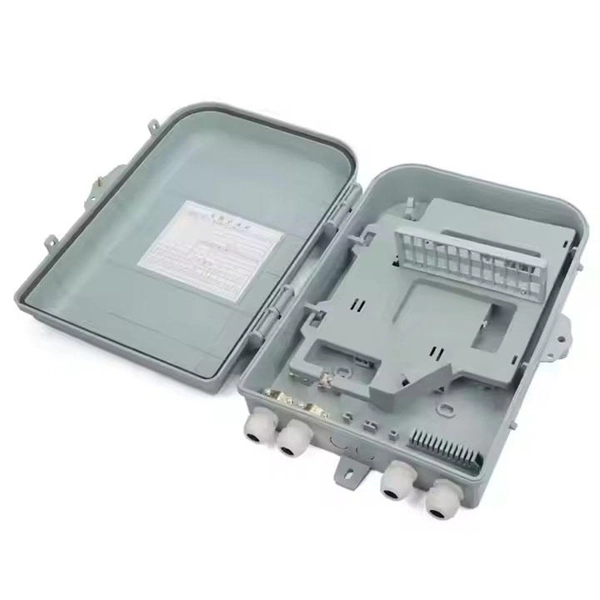
Look!! Fiber Optic Terminal Box MT-1403-8 New 8 Core Junction Box ftth 8 ports terminal box Material: PC. Color: White. Dimension: 240*200*50mm Weight: 630g. Waterproof grade: IP65.
S5700 Series Switches Hardware Description (V200)
Power Supply System The switch has a built-in AC power module and does not support pluggable power modules. The built-in power module can provide 380 W PoE power, which ensures full PoE
Solved: Understanding TX RX light level
Hi, I hope someone could please help clarify TX and RX light level. This is the information i got from the CLI of cisco router: Optical Optical Temperature Voltage Current Tx Power Rx Power
Related Video Reference
This video was associated with the source search result. Verify technical details against current product documentation and project requirements.