
Technical notes
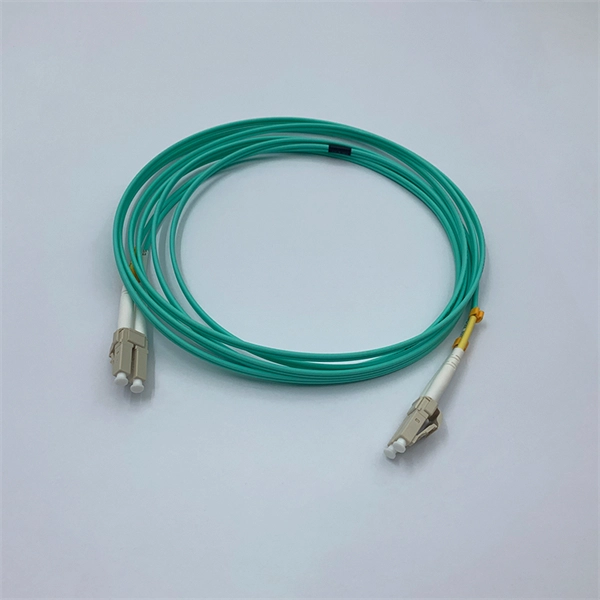
How to Connect Fiber Optic Cable to Router: A Step-by-Step Guide
However, setting up a fiber optic connection to your router can seem daunting if you''re unfamiliar with the process. In this guide, we''ll walk you through how to connect a fiber optic...
Can I Use My Own Router for Fiber Internet? | Mercury
See when you can use your own router for fiber internet, what equipment is still required, and how to choose a compatible router for your home.
Complete Guide to Fiber Optic Home Networking | BroadbandSearch
Build a home fiber network for 1-2 Gbps speeds with this complete guide to installation, troubleshooting, and performance.
How to Connect Fiber Optic Cable to Router: Complete Guide 2025
By following this detailed guide, you''ve not only learned how to connect fiber optic cable to router properly but also how to optimize and maintain that connection for peak performance.
[Wireless Router] How to set up ASUS Router with ONT (Fiber
Setting Up - Connect your computer to the router via wired or WiFi connection and enter your router LAN IP or router URL to the WEB GUI.
How to Connect a Fiber Optic Cable to a Router
Connect fiber internet correctly. Learn the essential hardware bridge and sequential steps needed to link the optical line to your router.
How to Connect Fiber Optic Cable to Router: Top 5
By understanding these components and following these steps, you can successfully connect your fiber optic cable to both Ethernet and wireless
Set up a Mikrotik Router HEXs with Fiber Optic Modem
The configuration guide for setting up a Mikrotik Router HEXs a for your home network. The router is used in conjunction with a fiber optic modem to provide Internet access.
How to Set Up a Router or Mesh System
All you do is tether the router or first mesh unit to a modem, fiber optical network terminal (ONT), or gateway, load up a web interface or mobile
How to connect fiber optic cable to router WiFi
To connect a fiber optic cable to a WiFi router, you first connect the fiber optic cable to an Optical Network Terminal (ONT), which is often provided by your Internet Service Provider...
Connecting Access Points Using Fiber Optic Cables: A How-To Guide
Learn how to use fiber optic cables to connect access points and achieve extended, reliable Wi-Fi coverage. In this video, we''ll walk you through the entire process, from understanding the
Router to Router Connection: Expand Your Home Network
You need an Ethernet cable to connect two routers in your home network. If your routers are wireless, use different Wi-Fi channels to prevent signal interference. A second router can be set
Can I Connect a Fibre Optic Cable to Wireless Router?
Fibre optic cable connection to your wireless router made easy! Discover how to boost your internet speed and connectivity today.
How to set up your fibre router
Ready to get connected and enjoy your fast and reliable fibre internet? Great, let us guide you with our step-by-step video on how to setup your fibre router.
How to Connect Fiber Optic Cable to Router? Easy Fiber Optic
This video makes connecting your fiber optic cable to your router a breeze! We''ll guide you through the entire process step-by-step, ensuring a smooth and hassle-free experience.
How to Set Up a Wireless Router: A Step-By-Step Guide
An easy-to-follow tutorial on setting up WiFi at home Getting your new wireless router set up doesn''t need to be complicated! If your modem has a built-in router, you can skip the whole process of buying one and configuring parts and just...
How To Configure Router For Fiber Internet: Step-By-Step Guide
How to Configure Router for Fiber Internet: A Step-by-Step Guide Setting up your router for fiber internet might seem challenging at first, but it''s actually quite straightforward. Proper
How to Set Up a Wi-Fi Router
How to Set Up a Wi-Fi Router Step 1: Decide Where to Place The Router For optimal coverage, it is advisable to position a wireless business router in an open area within the workplace.
Related Video Reference
This video was associated with the source search result. Verify technical details against current product documentation and project requirements.